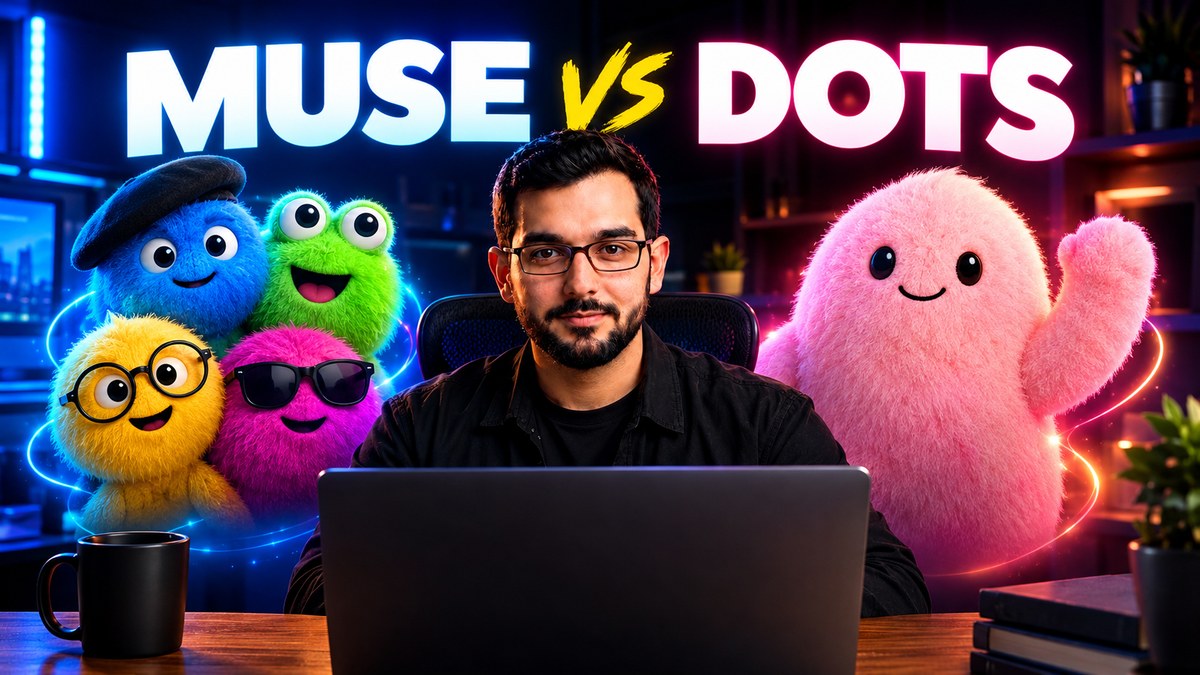
Muse vs Dots: Meta AI vs OpenAI Always-On Agents (2026)

Muse vs Dots: Two Different Answers to the Same Question
Two names keep appearing in every AI conversation right now: Muse and Dots. They sound like rivals, and in one sense they are, because they come from the two biggest names in AI, Meta and OpenAI. But they are not the same kind of product, and that is exactly why people get confused.
Muse is Meta's AI model and assistant. Dots are OpenAI's always-on personal agents. One is mainly something you talk to and build with. The other is mainly something you hand work to, and it keeps working after you close the tab.
In this guide you will learn what Muse actually is, what Dots actually are, how they compare side by side, who should use which one, and where the free open-source alternative OpenDot fits in.
What Is Muse?
Muse is the AI family built by Meta Superintelligence Labs. It is the model behind Meta AI, the assistant you can use at meta.ai and in the Meta AI app, and across Meta platforms such as Facebook, Instagram and WhatsApp.
At its core, Muse is a natively multimodal reasoning model. That means it can understand text, images, video and documents, reason through a problem step by step, call tools, and coordinate several agents working together. Meta positions it for agentic workflows: long tasks that need planning, tool use, coding and computer use, not just a single answer to a single question.
For everyday users, Muse shows up as Meta AI, a helpful assistant inside apps you already use. For developers, Muse is also available through a developer API, where it can power coding agents, review tools, research workflows and multi-agent systems.
The important point is this: Muse is first a powerful model and assistant. You ask it, it reasons, it acts through tools, and it helps you finish work faster. It is not sold as a separate always-on coworker with its own computer and its own ongoing projects.
What Are Dots?
Dots are OpenAI's personal AI agents, built inside ChatGPT. OpenAI describes a Dot as an always-on agent, an extension of you, that keeps working in the background even after you close the tab.
Here is how a Dot is different from a normal chatbot. You do not only ask a question and get an answer. You give a Dot a goal, set rules for what it is allowed to do on its own, and let it carry that goal forward. It can keep working across conversations, track progress on a project, check connected apps, do background research, and come back to you when it needs a decision.
Each Dot gets its own cloud computer and browser. That is a separate machine in the cloud that the Dot uses to browse, run tools and work on tasks, without touching your own laptop. Through connected apps, a Dot can reach a large app ecosystem, and you can talk to the same Dot in ChatGPT, and in connected work tools such as Slack and Teams.
At launch, Dots rolled out to ChatGPT Pro and Business Premium subscribers in eligible markets, with one Dot included per user. Pro users in the European Economic Area, Switzerland and the United Kingdom were excluded at the Pro launch. That rollout matters, because Dots are not yet something every ChatGPT user can simply switch on.
Dots also come with rules and approvals built in. Background research is read-only, so a Dot cannot send messages or change files on its own during that background work. Consequential actions, such as sending an email, editing a file or making a purchase, need your approval. High-risk actions, such as changing a password, stay with you. OpenAI is clear that Dots can still make mistakes, so important work should always be reviewed.
Muse vs Dots: The Head-to-Head Comparison
The fastest way to understand the difference is to compare them directly.
- Maker: Muse is made by Meta. Dots are made by OpenAI.
- What it is: Muse is a reasoning and agentic model that powers Meta AI. Dots are always-on personal agents inside ChatGPT.
- Where you use it: Muse lives in Meta AI, at meta.ai, in the Meta AI app and across Meta platforms, and through a developer API. Dots live inside ChatGPT, with access through connected work tools.
- Its own computer: A Dot gets its own cloud computer and browser to work from. Muse works through Meta AI and its tools, not as a separate personal computer assigned to you.
- Memory and continuity: A Dot is built to remember ongoing projects, track progress and continue work between conversations. Muse is built to reason deeply in the moment and orchestrate agents, but it is not presented as a persistent coworker with ongoing projects in the same way.
- How you control it: With Dots, you set rules for what the agent may do alone, what it must ask first, and what it must hand back to you. With Muse, you guide the assistant and its tools through prompts and developer workflows.
- Best for: Muse is best for asking, reasoning, coding, analysing and building. Dots are best for delegating ongoing work that keeps moving while you do something else.
- Access at launch: Muse is available through Meta AI for everyday users and through an API for developers. Dots launched as a subscriber feature for Pro and Business Premium users in eligible markets, with one Dot included at launch.
The Biggest Difference: Assistant vs Always-On Agent
Think of it this way. Muse is like a brilliant expert you can call whenever you need help. You bring a problem, it thinks hard, uses tools, and helps you solve it. When the conversation ends, that session ends.
A Dot is like a capable team member you hand a project to. You explain the goal, agree the rules, and the Dot keeps working on that project in the background. It checks progress, does research, prepares drafts and updates you. You do not have to sit there and watch it work.
That is why the comparison is not really about which model is smarter in a single test. It is about which working style fits your day. Do you need sharp answers and help inside the moment? Or do you need work that continues while you are busy with something else?
A Common Confusion, Cleared Up Honestly
Many people hear the word Dot and assume it runs inside their own laptop. For OpenAI Dots, that is not correct. Each Dot runs on its own cloud computer, a separate machine in the cloud, and it can keep working even when your own computer is off.
The local version of this idea is different, and it has a similar name. OpenDot is the free open-source alternative to OpenAI Dots, and it is designed to run locally on your own PC. So the family looks like this: OpenAI Dots run in the cloud, OpenDot runs locally on your machine, and Muse runs through Meta AI and its developer platform.
If privacy and local control matter most to you, that distinction is the one to remember. If you want a managed agent that keeps working without you setting anything up, the cloud Dot model is the one built for that.
Real Things Dots Can Handle
OpenAI gives practical examples of Dot work, and they are refreshingly ordinary. Scheduling meetings, making travel arrangements, managing budgets, debugging computer systems and writing software code are all on the list.
For developers, a Dot can monitor customer feedback, spot repeated issues, work on small fixes, test changes and prepare pull requests for review. For product teams, a Dot can revise launch materials when the scope of a product changes. For researchers, a Dot can update an analysis when new data arrives. For content teams, a Dot can help with production work such as finding clip moments, preparing show notes and drafting social posts.
None of this means you hand over control completely. The whole design is built around approvals. A Dot proposes, prepares and researches, and you approve the steps that actually change something, send something or spend something.
Real Things Muse Can Handle
Muse is strongest where reasoning, coding and multimodal understanding meet. It can diagnose problems in code, help build features, review work, analyse images, video and documents, and coordinate several agents on a longer task.
For creators and freelancers, that means research, script help, content planning, code explanations and workflow automation through Meta AI and developer tools. For developers, it means a model built for agentic coding, tool calling and long-horizon tasks, with a very large context window for carrying details across a long workflow.
Muse is not trying to be your always-on project manager. It is trying to be the sharpest assistant and builder you can call on, inside the apps and tools where you already work.
Who Should Choose Muse?
Choose Muse if you already live inside Meta apps, if you want a strong general assistant for questions, reasoning, research and coding help, or if you are a developer building agentic workflows on Meta's platform.
Muse fits people who work in sessions: open the assistant, solve a problem, build something, and move on. It is direct, powerful and easy to reach, without needing a separate agent setup or a subscriber agent plan.
Who Should Choose Dots?
Choose Dots if your biggest problem is not getting answers, but getting work finished while you are busy. If you have ongoing projects, repeated research, documents that need updating, feedback that needs monitoring, or tasks that stretch across days, an always-on agent fits that shape of work.
Dots fit people who are comfortable delegating, setting clear rules, and reviewing work before it goes out. They are less about chatting, and more about handing over a goal and checking progress.
Who Should Use Both, or Neither?
Many people will end up using both, for different jobs. Use Muse when you need sharp thinking and fast help. Use a Dot when you need a project carried forward in the background.
If neither fits your budget or your setup, OpenDot is worth knowing about. It is the free open-source alternative to Dots, designed to run locally on your own PC, with the same agent idea: give it a task, and it performs real work on your computer. You can read the full OpenDot guide on this site to see how it works and who it suits best.
Honest Limits You Should Know
No honest comparison hides the limits, so here they are, plainly.
Dots are still rolling out, and access depends on your plan and your market. You get one Dot at launch, not a whole team of them, and you still need to review important work because agents can make mistakes. Approvals protect you, but they also mean a Dot will stop and ask you before it does anything consequential, which is the right trade-off, but it is not fully hands-free magic.
Muse is a powerful model, but it is not a persistent personal agent with its own ongoing projects in the Dots sense. If you want work that continues for days without you prompting it, Muse alone will not give you that Dot-style continuity. You also need to check which Muse features are available in your region and through which app or API, because availability can vary.
Neither product replaces your judgment. Agents save time, but the final decision on anything important, especially anything sent, published or paid for, should stay with you.
Frequently Asked Questions
Is Muse the same as Meta AI?
Muse is the model family behind Meta AI. When you use Meta AI, you are using an assistant powered by Muse. Developers can also use Muse through an API to build their own tools.
Are Dots the same as ChatGPT?
No. Dots live inside ChatGPT, but they are a different kind of product. ChatGPT answers you in a conversation. A Dot takes a goal and keeps working on it in the background, with its own cloud computer, memory of the project, and rules you set.
Do Dots run on my own computer?
No. OpenAI Dots run on their own cloud computer, not on your laptop. The local alternative with a similar idea is OpenDot, which is designed to run on your own PC.
Is there a free version of Dots?
Dots launched as a feature for ChatGPT Pro and Business Premium subscribers in eligible markets, with one Dot included at launch. OpenDot is the free open-source alternative, with no monthly seat for the software itself.
Which one is better for creators and freelancers?
It depends on the job. For fast help, research, writing and coding, Muse is a strong direct choice. For ongoing work such as monitoring feedback, updating documents, preparing drafts and tracking projects, Dots fit better. Many creators will use Muse for the work itself, and a Dot-style agent for the work that keeps going in the background.
Should I switch from Muse to Dots, or the other way round?
Do not think of it as a switch. Think of it as two tools for two jobs. If your day is full of questions and building, start with Muse. If your day is full of projects that stall because you are busy, a Dot is the tool built for that gap.
The Final Verdict
Muse vs Dots is not a fight over one winner. Muse wins for sharp, on-demand help and building. Dots win for persistent, delegated work that continues while you are away.
If you want one simple rule, use this. Need an answer or a build right now? Use Muse. Need a project carried forward without you watching it? Use a Dot. Want the agent idea for free, on your own machine? Look at OpenDot.
Follow along for more simple, honest AI tool guides, and pick the tool that actually fits the work you do every day, not just the name everyone is talking about this week.
Need help with your content?
I provide professional video editing, YouTube, Instagram and TikTok thumbnail design, AI content creation, UGC ads, social media growth support, and YouTube channel and complete brand packages.