50 Google Flow Commands for Cinematic AI Product Videos

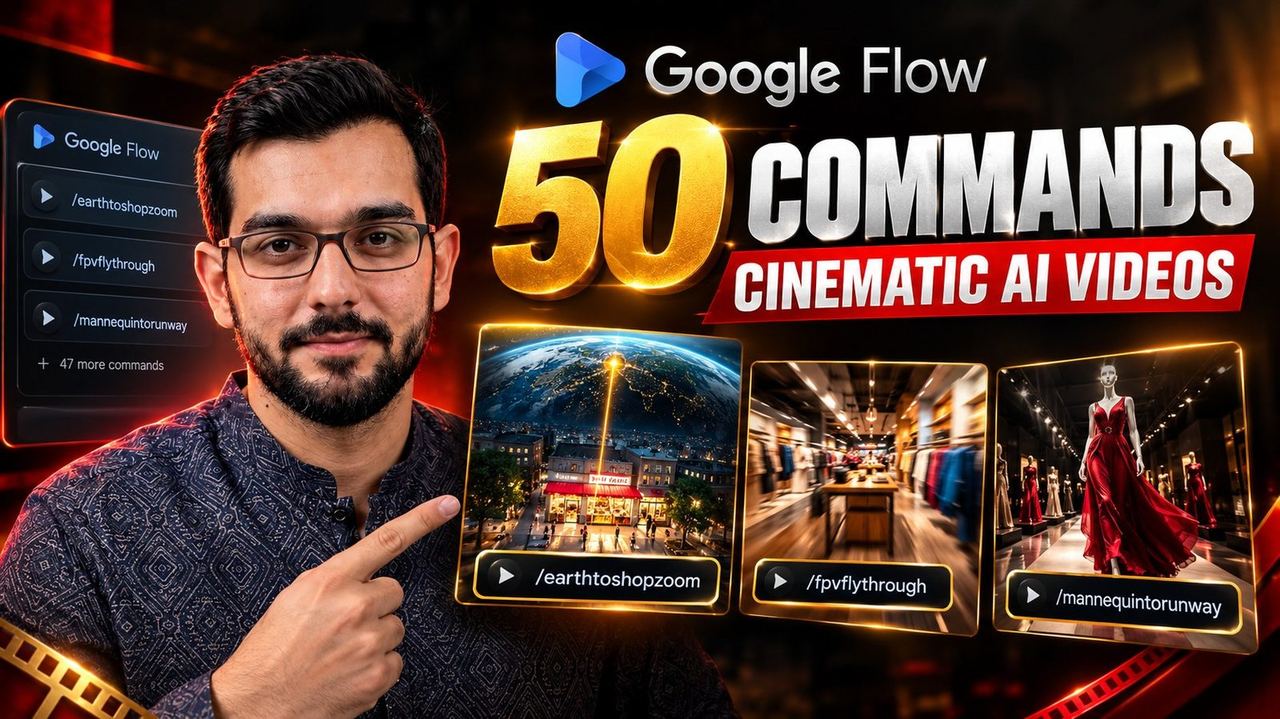
A short video showing three Google Flow commands for cinematic shop videos went viral recently. Three commands. The comments filled up with one question: where are the rest?
Here they are. All 50.
One honest note before the list: these are not official built-in Google Flow commands. They are community-created prompt shortcuts. You type the command, then describe your product and the scene in plain words, and Flow's AI video model turns that direction into footage. They work because clear cinematic direction gets clear cinematic output.
How to use these commands
The pattern is always the same:
/COMMAND + your product description + scene details
A weak prompt: "/PRODUCTREVEAL headphones"
A strong prompt: "/PRODUCTREVEAL matte black wireless headphones on dark stone, single spotlight from above, slow push in"
The difference is specificity. Describe the product the way you would brief a cameraman: material, color, surface it sits on. Name the lighting. Name the camera move. One clear idea per shot, then chain your best shots together in editing for the final video.
Product Showcase
The foundation. Clean, premium shots that make any product look expensive.
- /PREMIUMSHOWCASE — Full luxury showcase with slow cinematic moves and premium lighting around the product.
- /HEROFOCUS — One dramatic hero shot with shallow focus pulling every eye to the product.
- /PRODUCTREVEAL — The product emerges from darkness into light. Classic reveal energy.
- /ROTATINGPRODUCT — Smooth 360-degree rotation showing the product from every angle.
- /FLOATINGPRODUCT — The product floats weightlessly in a premium environment.
- /LUXURYDISPLAY — High-end commercial look with rich materials and soft reflections.
- /MACROPRODUCT — Extreme close-ups on texture, stitching, engraving and fine details buyers zoom into.
- /SLOWREVEAL — A slow, tension-building reveal. Built for launches and teasers.
- /SPOTLIGHTPRODUCT — One dramatic spotlight on the product, everything else falls to black.
- /GLASSSTAGE — The product displayed on a reflective glass stage with mirror reflections underneath.
Unboxing and UGC
Styles made for social feeds. These look like real creator content, which is exactly why they convert.
- /UNBOXING — A cinematic unboxing sequence with satisfying, well-paced shots.
- /UGCADS — A UGC-style product ad that feels like a genuine creator video, not a commercial.
- /FIRSTIMPRESSIONS — Creator-style first impression with natural reactions and a handheld feel.
- /PRODUCTDEMO — A clear step-by-step demonstration of what the product does.
- /HANDHELDREVIEW — Raw handheld review style. Authentic and deliberately unpolished.
- /PACKAGEOPEN — Cinematic package opening: tape, box, tissue paper, reveal.
- /REVEALBOX — The product rises out of its packaging in one smooth move.
- /SOCIALAD — A punchy short-form ad built for Reels, TikTok and Shorts.
- /CREATORREVIEW — A structured creator review: hook, demo, honest verdict.
- /TESTIMONIALSTYLE — Testimonial-style presentation with a trust-building tone.
Cinematic Camera
The camera move is half the cinema. These ten give you a full director's toolkit.
- /ORBIT360 — A full 360-degree cinematic orbit around the product.
- /DRONESHOT — An aerial-style sweeping shot over the product scene.
- /FPVFLYTHROUGH — Fast FPV drone-style flythrough weaving around the product.
- /DOLLYIN — A slow, smooth push-in toward the product.
- /DOLLYOUT — A cinematic pull-back that reveals the full scene.
- /TOPDOWN — A premium overhead shot, the flat-lay look done cinematically.
- /LOWANGLE — A dramatic low angle that makes the product look powerful.
- /CAMERADRIFT — A gentle floating drift for dreamy, floating product shots.
- /PARALLAX — Layered parallax movement that adds real depth to the frame.
- /HYPERLAPSEORBIT — A fast hyperlapse orbit for high-energy reveals.
Creative Effects
When the product needs drama, spectacle, or a scroll-stopping opening frame.
- /PORTALPRODUCT — The product emerges through a glowing portal.
- /SMOKEENTRY — The reveal happens through thick cinematic smoke.
- /LIQUIDREVEAL — The product rises through flowing liquid.
- /LIGHTTRAIL — Dynamic light trails swirl around the product.
- /ENERGYREVEAL — A futuristic energy-burst reveal.
- /PARTICLEBURST — A cinematic particle-explosion reveal.
- /GLITCHREVEAL — A digital glitch-style reveal, perfect for tech products.
- /SHATTERREVEAL — The product revealed through a glass-shatter effect.
- /FIREPRODUCT — A dramatic fire-themed product commercial.
- /ICEPRODUCT — A frozen, crystal-style cinematic showcase.
Premium Ad Styles
Complete looks. Each one is a full commercial grade you can apply to any product.
- /LUXURYCOMMERCIAL — The full high-end luxury commercial treatment.
- /APPLESTYLE — Minimal premium tech aesthetic. Clean, bright, confident.
- /FASHIONCAMPAIGN — Editorial fashion-campaign style.
- /CINEMATICAD — A film-like cinematic advertisement.
- /DARKLUXURY — A dark, premium, moody luxury aesthetic.
- /NEONCOMMERCIAL — A futuristic neon-lit advertisement.
- /MINIMALAD — A clean minimalist product ad with nothing wasted.
- /GOLDENHOURAD — A warm, cinematic golden-hour commercial.
- /BLACKSTUDIO — A premium black-background studio shoot.
- /FINALPRODUCTHERO — The ultimate hero shot with a sweeping cinematic camera move. Save it for the last frame.
Putting it together
Nobody posts a single AI shot and calls it a video. The workflow that works:
- Step 1. — Pick an opening command from Creative Effects or a reveal for the hook frame.
- Step 2. — Use two or three Cinematic Camera commands for the middle of the video.
- Step 3. — Close with a Premium Ad Style hero shot.
- Step 4. — Edit the shots together in CapCut, add captions, and keep the pacing tight.
Start with the three commands that went viral, then work through this list and find the five or six that fit your niche. Those become your signature looks.
And if you want this kind of video done professionally instead of experimenting for hours, that is exactly what I do every day.
Need help with your content?
I provide professional video editing, YouTube, Instagram and TikTok thumbnail design, AI content creation, UGC ads, social media growth support, and YouTube channel and complete brand packages.