From Idea to Published: A Complete Free AI Workflow for Creators in 2026

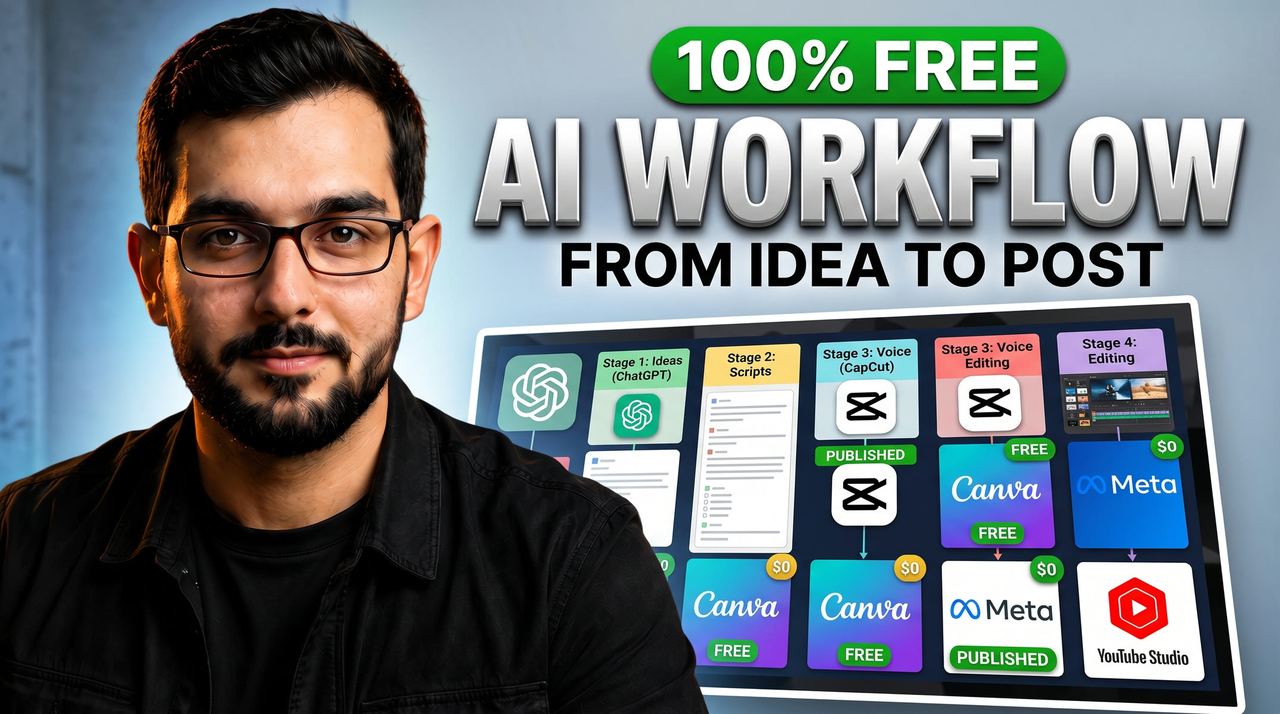
Most creators do not have a tool problem. They have a workflow problem. They collect 20 free AI apps, open none of them, and post nothing. The tools were never the bottleneck. The missing piece is a pipeline: one tool per stage, used in the same order every time, from idea to published post.
This is that pipeline. Seven stages, one free tool each, zero dollars. I run client content through exactly this order every week.
Stage 1: Ideas — ChatGPT (free plan), 30 minutes on Sunday
Open ChatGPT and ask for 20 video ideas in your niche with a one-line hook each. Pick 7. That is next week's content, decided in one sitting. The free plan has daily message caps, so do this in one focused session instead of chatting all day. Save the 7 hooks in a notes app. You now have a content calendar.
Honest limit: free plan message caps and slower responses at peak hours. For a weekly planning session it is plenty.
Stage 2: Scripts — ChatGPT or Google Gemini (free)
Give the chatbot one hook and ask for a 35-second spoken script: hook, three beats, one call to action. Then read it out loud and fix anything that sounds like a robot wrote it. I always rewrite the first line myself. AI gives you structure; your voice gives it life. Gemini's free tier works directly in Google Docs, which is convenient if you plan scripts there.
Honest limit: free chatbots will not sound like you. Budget 10 minutes of human editing per script. That editing is what separates real creators from spam.
Stage 3: Voiceover — CapCut text-to-speech (free, unlimited)
Paste your script into CapCut's text-to-speech and pick a voice. CapCut's built-in voices are unlimited and free, and the Urdu and Hindi options work well for South Asian audiences. If you prefer your own voice, record directly into CapCut and use its free noise reduction. Auto captions come next, in the same app.
Honest limit: CapCut voices are good but not ElevenLabs good. ElevenLabs sounds more human but its free tier is only about 10 minutes a month. Use CapCut TTS for daily output, ElevenLabs for hero videos.
Stage 4: Video editing — CapCut desktop (free)
This is the single biggest free win in creator software. CapCut desktop edits full YouTube videos free: multi-track timeline, keyframes, speed ramping, transitions, effects and auto captions with word-by-word animation. I edit client videos in it. The auto captions alone replace a $15/month caption tool.
My batching system: edit all 7 weekly videos in one 3-hour block instead of opening the editor daily. Same tool, same templates, same fonts. Your weekly content becomes a factory line instead of 7 separate creative crises.
Honest limit: some premium templates and effects need CapCut Pro. The core editor, captions, voice tools and export are fully free. You will not hit a wall on normal creator work.
Stage 5: Thumbnails and design — Canva free + Photopea
Canva's free tier handles thumbnail layouts: background, face placement, 3-word text, logo. I use it as a composition scratch pad before final design. For anything Canva cannot do, Photopea is a free Photoshop-class editor in your browser: layers, masks, PSD files, no install, no account.
Honest limit: Canva's background remover and brand kit are paid. Design around free elements. Photopea is ad-supported and slow on huge files. For social-size design both are fine.
Stage 6: Images and B-roll — Microsoft Designer Image Creator (free)
Need a blog header, a video background or a concept visual nobody else has? Microsoft Designer (formerly Bing Image Creator) generates images free with a Microsoft account, powered by DALL-E. I generate backgrounds and concept art for article illustrations and video covers. Detailed prompts beat vague ones: describe the scene, lighting and mood.
Honest limit: daily boosts are limited and photorealistic faces can look slightly off. Use it for backgrounds, textures and concept art, not for faces you need to look real.
Stage 7: Scheduling — Meta Business Suite + YouTube Studio (free)
Scheduling tools charge monthly to post on your behalf. Meta Business Suite schedules Facebook and Instagram posts and reels free. YouTube Studio's built-in scheduler handles YouTube. Spend Sunday evening scheduling the week's 7 videos and your publishing is automatic while you sleep.
Honest limit: no unified dashboard across every platform. Two free dashboards cover everything that matters.
The real lesson: order beats tools
A creator with 3 free tools and a fixed weekly order outperforms a creator with 30 tools and no system. Sunday: 30 minutes of ideas, 1 hour of scripts, 3 hours of editing, 30 minutes of scheduling. Five hours of focused work produces a full week of content. The tools were free all along. The workflow is what you were missing.
Build the pipeline once, run it weekly, and consistency stops being a struggle and starts being a schedule.
Need help with your content?
I provide professional video editing, YouTube, Instagram and TikTok thumbnail design, AI content creation, UGC ads, social media growth support, and YouTube channel and complete brand packages.